

It takes just a few steps to start advertising on 7SearchPPC. Register as an advertiser, add funds, complete your campaign setup, review everything, launch, and track your ad campaigns.
Looking for a place to start advertising and run your next ad campaign? 7SearchPPC might be what you need. It’s a self-serve ad network with support for niche verticals, quick approvals, and targeting by GEO, device, and OS.
But before you spend a single dollar, you probably want to know how the platform actually works. Where do you have to register? What does the dashboard actually show? How do you fund your account, and what does campaign setup look like?
In this step-by-step guide, you will learn how to start advertising on 7SearchPPC so that you can set up your first ad campaign, launch, track performance, improve conversions, and maximize ROAS.
What Is 7SearchPPC?
7SearchPPC is a self-serve pay-per-click advertising network that lets advertisers reach their target audience through a single dashboard. It gives advertisers full control to create, manage, and optimize their ad campaigns.
Launched in 2020, the self-serve network lets advertisers run campaigns across various ad formats, including text, banner, native, push, interstitial, and popunder, with targeting across 239+ GEOs, devices, and OS. Most importantly, pricing is flexible, with CPC, CPM, and CPA Goal models available.
The platform is built for media buyers, affiliate marketers, performance marketers, and direct advertisers who want affordable, quality traffic.
Why Do Thousands of Advertisers Trust 7SearchPPC?
Cost, reach, and control are what advertisers look for in an ad network, and 7SearchPPC delivers all three, so advertisers can launch campaigns faster and manage their spend with confidence.
Affordable Pricing
Lower cost-per-click (CPC) and cost-per-mille (CPM) than mainstream ad platforms make 7SearchPPC a top choice among advertisers. As advertising costs rise, online advertisers look for cost-effective networks, and 7SearchPPC is a strong choice for those who want to drive quality web traffic within their advertising budget.
Diverse Ad Formats
One of the key strengths of 7SearchPPC is that it offers a wide range of ad formats, including text ads, native ads, banner ads, interstitial ads, popunder ads, and push ads. These advertising formats help advertisers present their offers in more engaging ways, attract more clicks, drive conversions, and get better returns on their investment.
Support for Niche and Regulated Verticals
Not every ad platform welcomes niche or regulated industries, but 7SearchPPC does. We support verticals like crypto, iGaming, healthcare, and adult, with clear guidelines and quick approvals. So, you can launch campaigns without stress and reach an audience that matters to your business.
Quick Approvals
Waiting days for ad approval can slow your business growth. At 7SearchPPC, our team reviews campaigns quickly so your ads can go live without much delay. With 99% uptime, your ad campaigns run smoothly, so you never miss valuable traffic.
Accurate Targeting
7SearchPPC offers targeting across 239+ GEOs, along with device and operating system. This way, your budget goes to users who are most likely to engage and convert.
Expert Help, Every Step
Running ads is easier with someone knowledgeable on your side. At 7SearchPPC, eligible advertisers get a dedicated ad manager who knows the platform inside out. Whether you want to run an ad campaign in crypto, iGaming, healthcare, or another niche, our experts help with easy campaign setup, optimization, and troubleshooting, so you are never left figuring things out alone.
Take Your Campaigns Live on 7SearchPPC
How to Start Advertising on 7SearchPPC
Getting started is simple with 7SearchPPC. Follow these easy steps to set up your account, launch your first advertising campaign, and start getting quality traffic in no time.
1. Register as an Advertiser
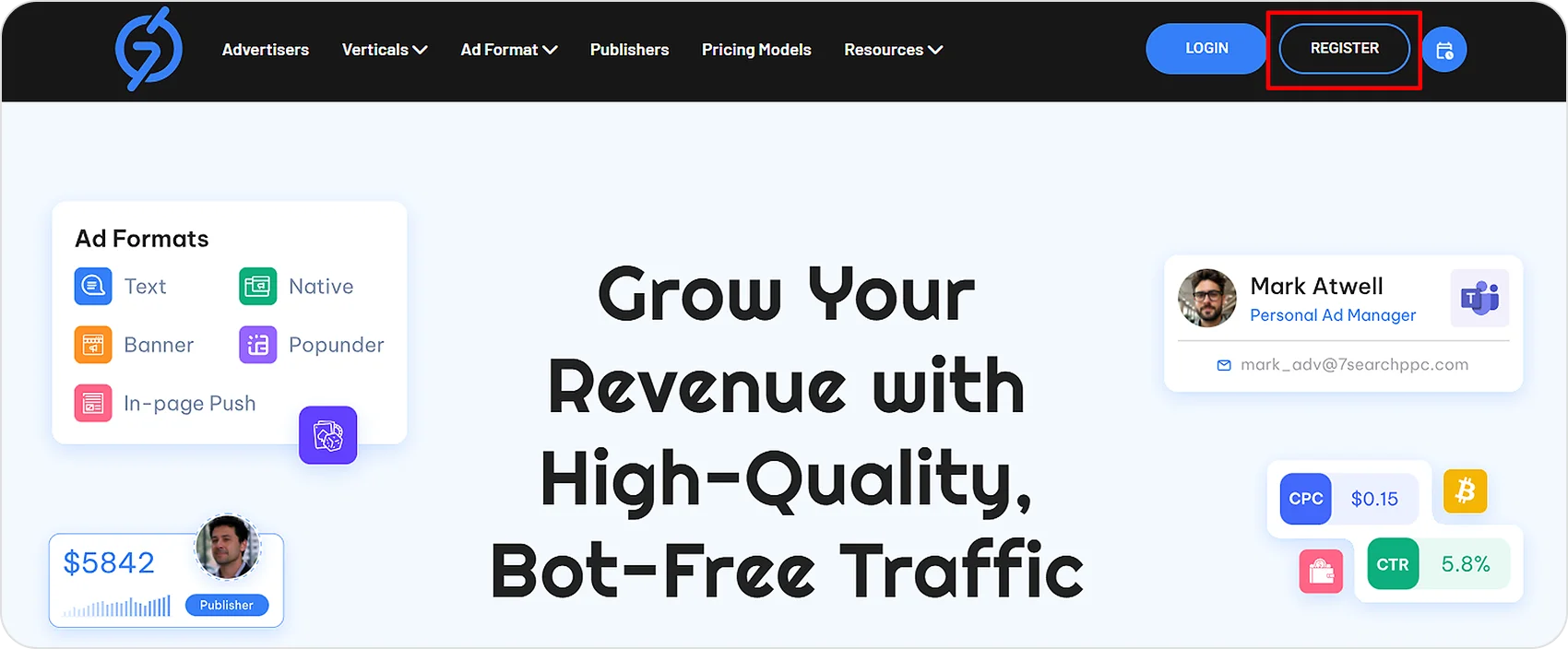
Visit the official 7SearchPPC website, click “Register,” select the “As an Advertiser” option, and then click “Get Started.”
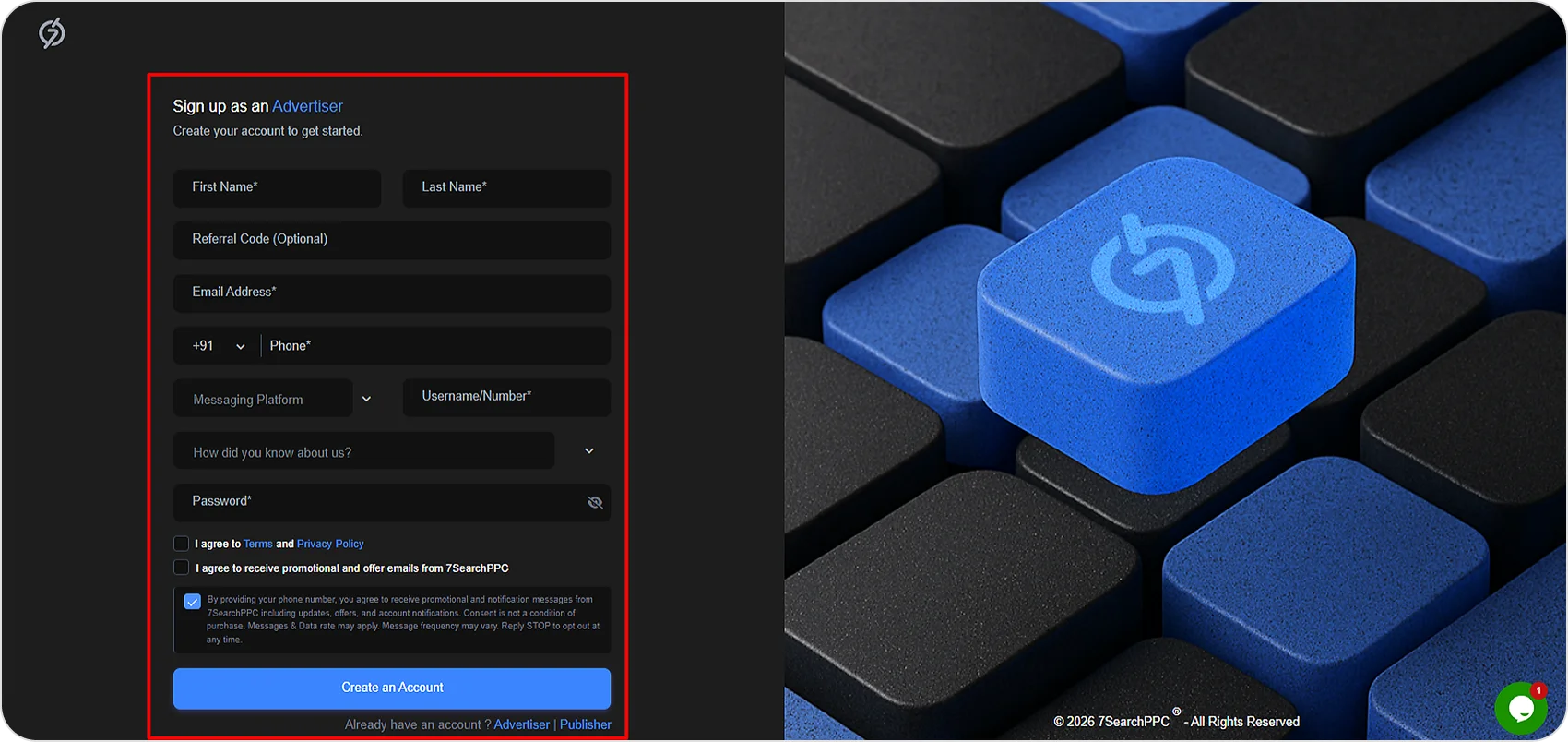
Fill out the form with all the required details. When you’re done, check all the boxes and click “Create an Account.” You’ll then receive a 6-digit OTP. Enter it and click “Verify.”
2. Explore Your Dashboard
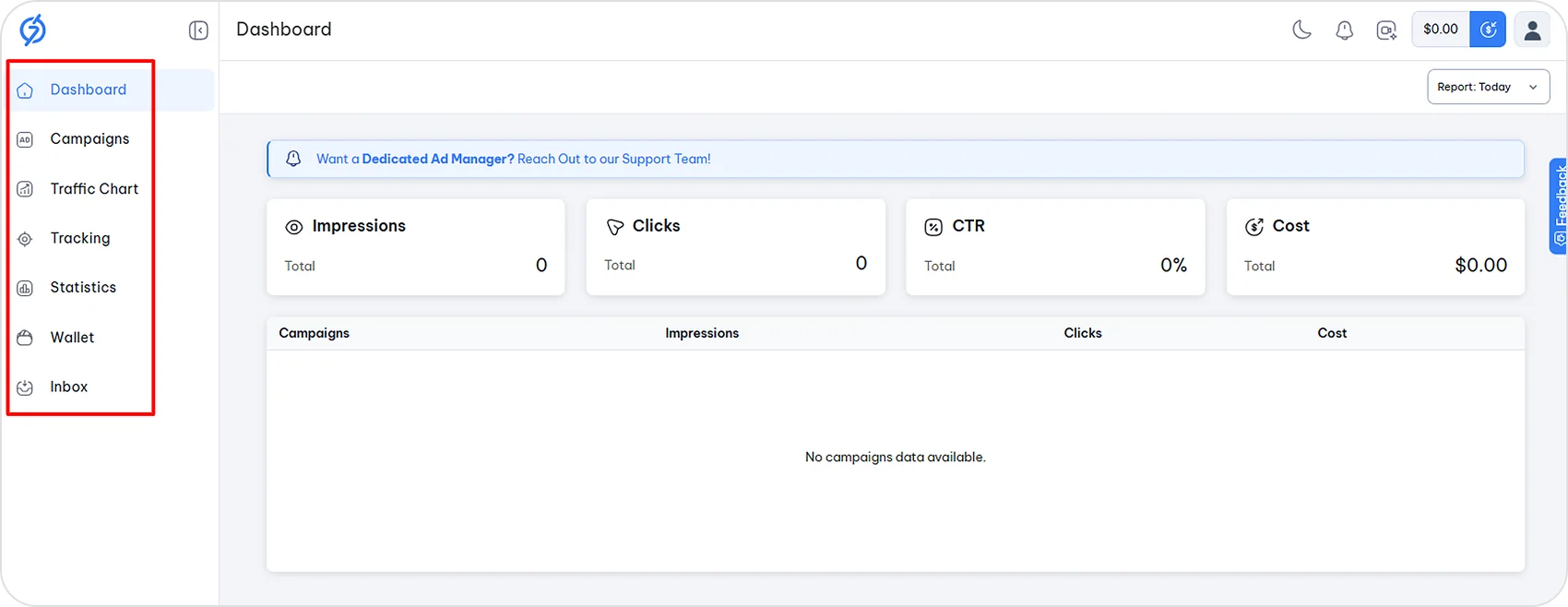
After successfully logging in to 7SearchPPC, you will see options on the left side, which include Dashboard, Campaigns, Traffic Chart, Tracking Statistics, Wallet, and Inbox.
When you start advertising, you will go through each section, so let’s talk about it step by step.
3. Add Funds to Your Wallet
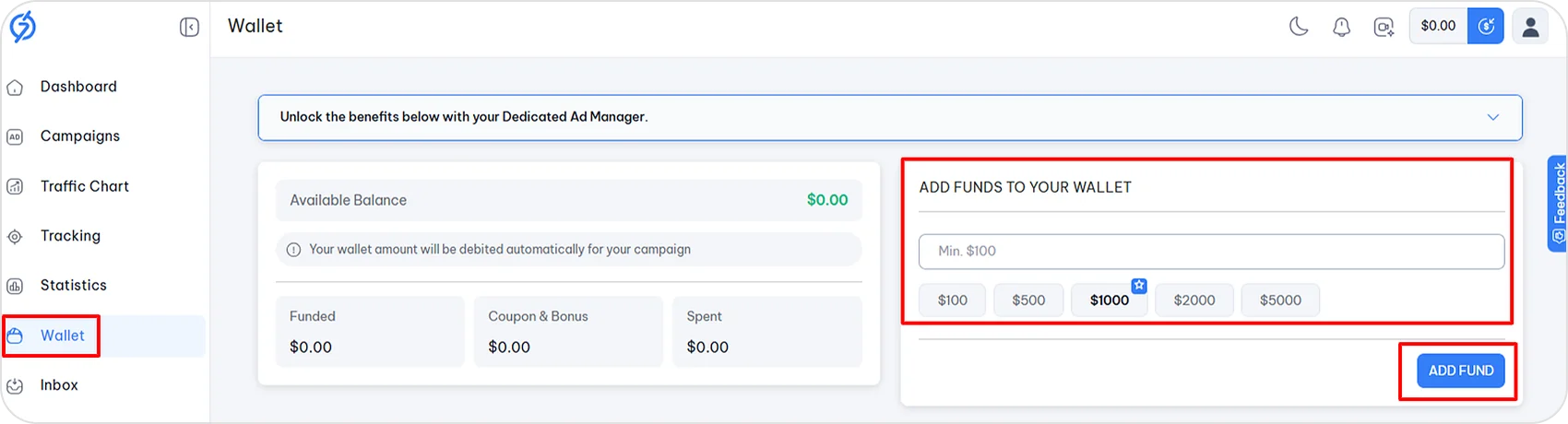
First, add funds to your Wallet. Click the “Wallet” section, enter an amount, and click “Add Funds.”
Choose your preferred payment method and complete the payment. Once it’s successful, the total amount will appear in the top-right corner.
You can also use a coupon by entering the code during payment. To check our latest offers, click “View all coupons” visible in the payment section or visit our offers page.
4. Create Your Campaign
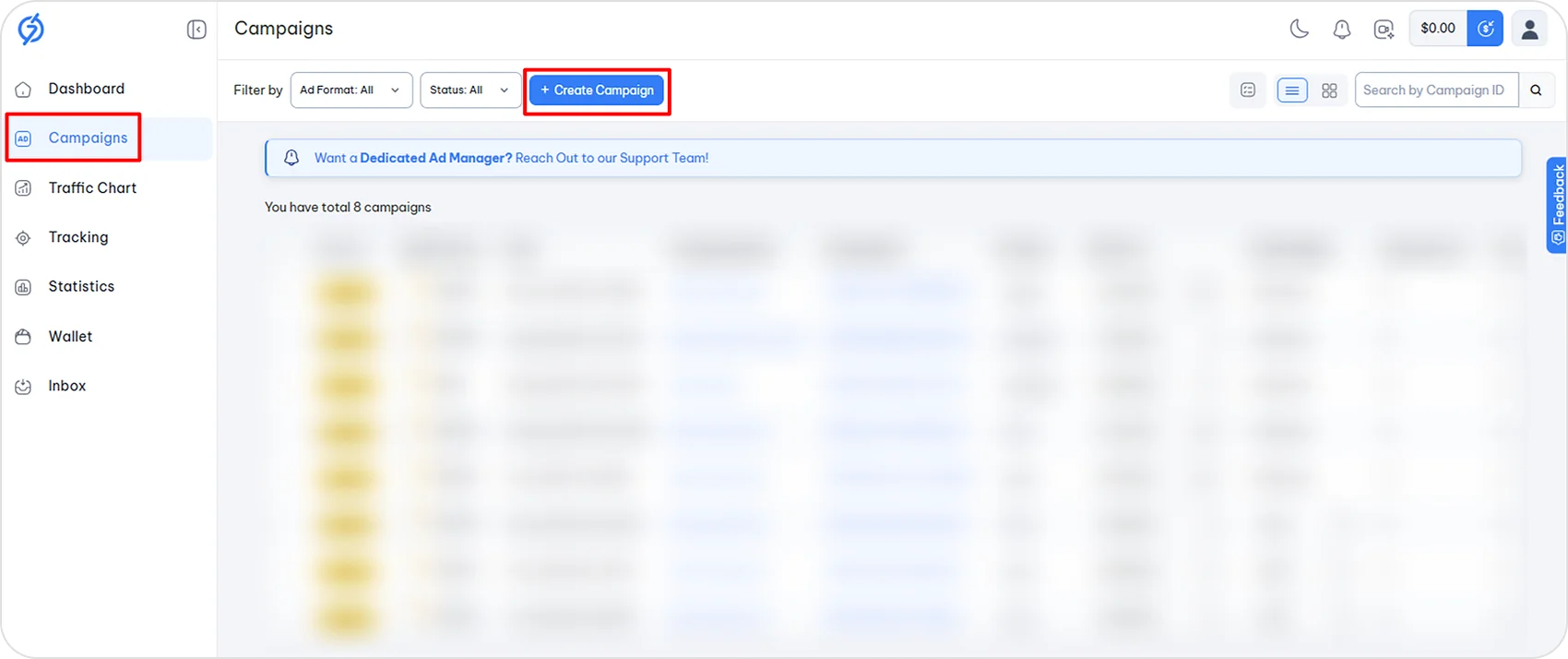
Once you’ve added funds, go to the “Campaign” section, then click “Create Campaign.”
4.1: Select Ad Format
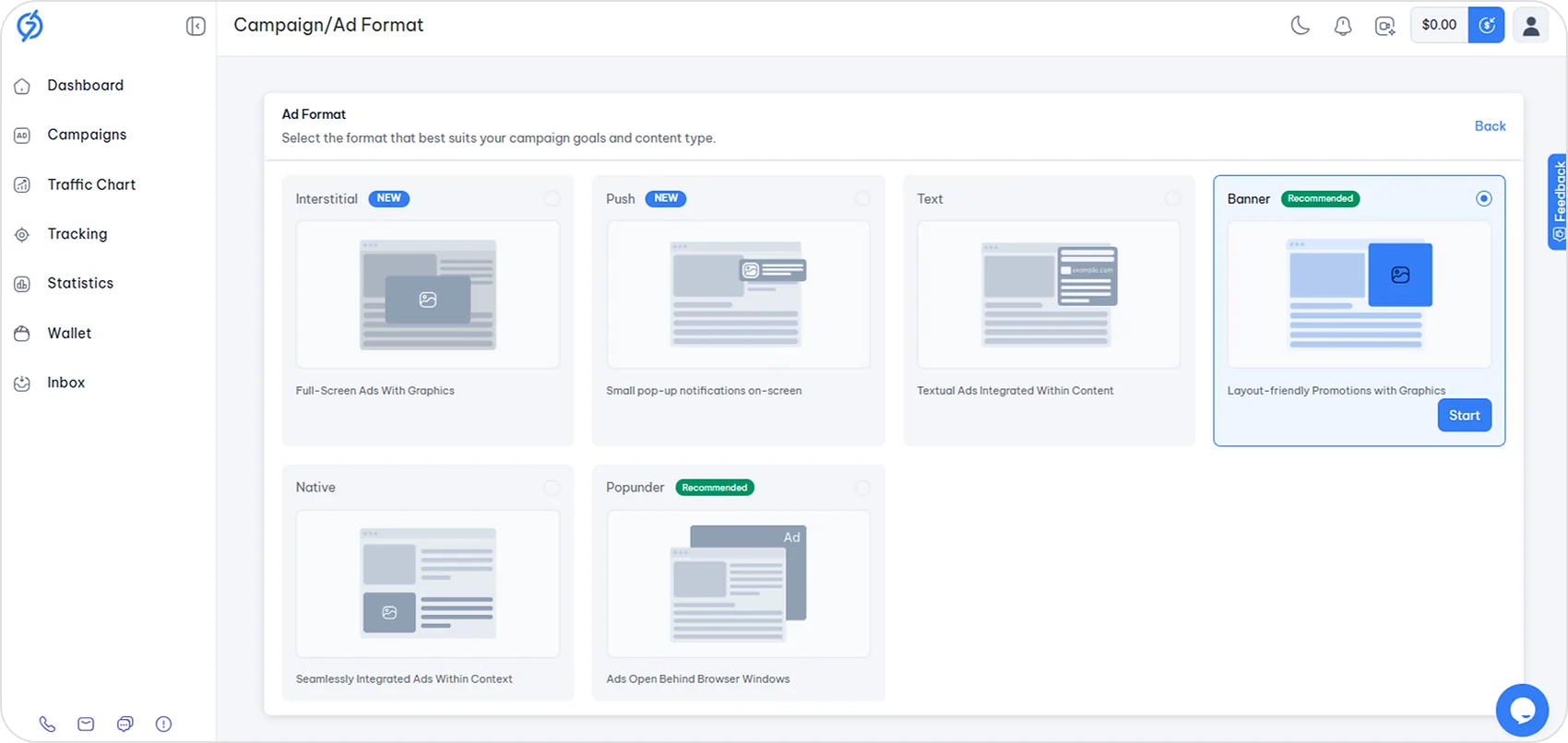
Now select the preferred ad format you want to use to promote your offer, then click “Start.”
Different Types of Ad Formats:
- Interstitial
- Push
- Text
- Banner
- Native
- Popunder
4.2: Configure Campaign Settings
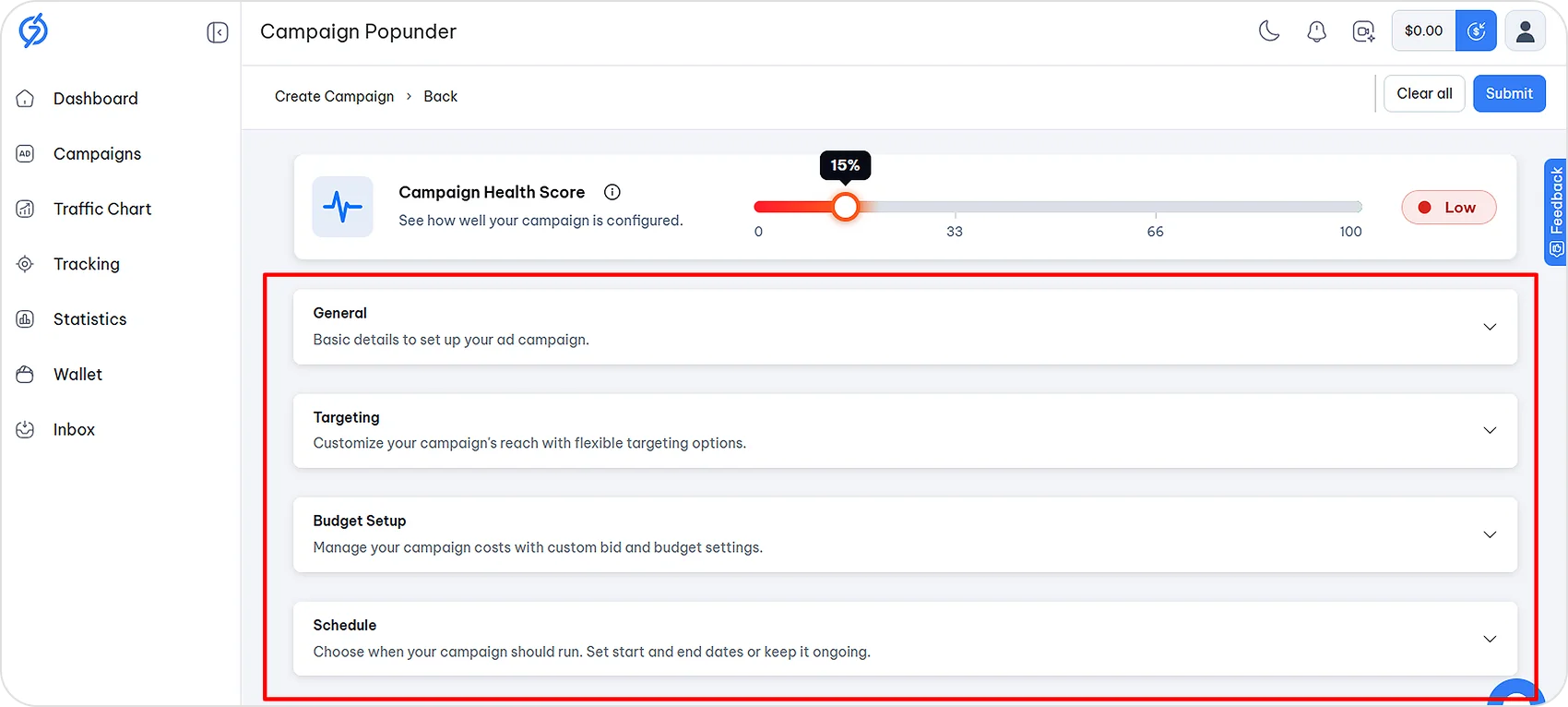
To start advertising with 7SearchPPC, complete the following steps:
General: Enter the Campaign Name and the Destination URL, the page users will land on after clicking your ad.
Targeting: Define the audience you want your ads to reach. You can target 239+ GEOs, devices, and OS.
Budget Setup: Select a pricing model (CPC, CPM, or CPA Goal), set your bid price, and choose a budget type (Limited/Unlimited).
Schedule: Schedule the ads for when the audience is active, as this increases the chances of conversion.

Also, keep an eye on the campaign health score. When you create a campaign, it shows how well you’re setting up your ad campaign.
Once you complete all sections, review your campaign setup and then click “Submit”. Your campaign will go live within a few hours.
5. Set Up Your Tracking
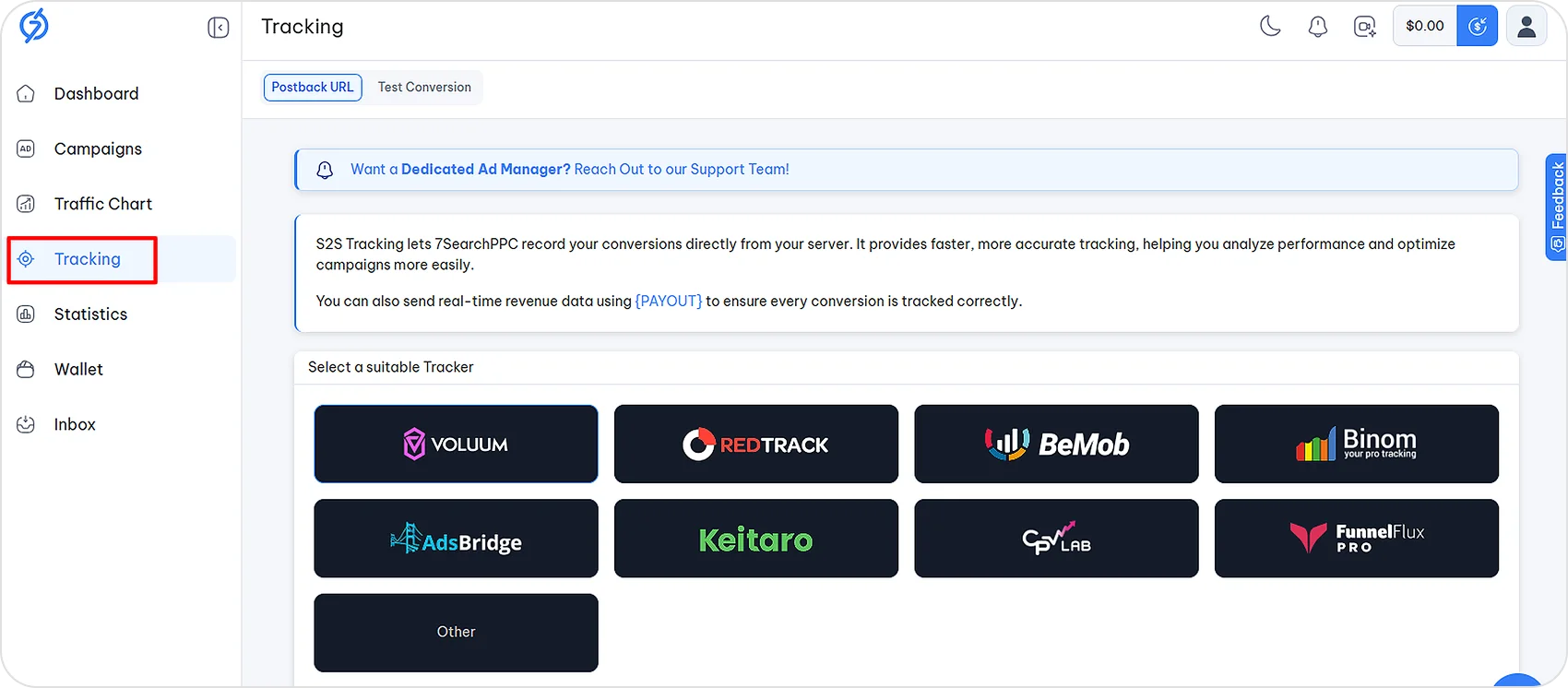
Before you start advertising, you can also set up S2S tracking to measure campaign results more accurately. 7SearchPPC integrates with popular ad trackers, giving advertisers greater flexibility.
6. Review Your Statistics
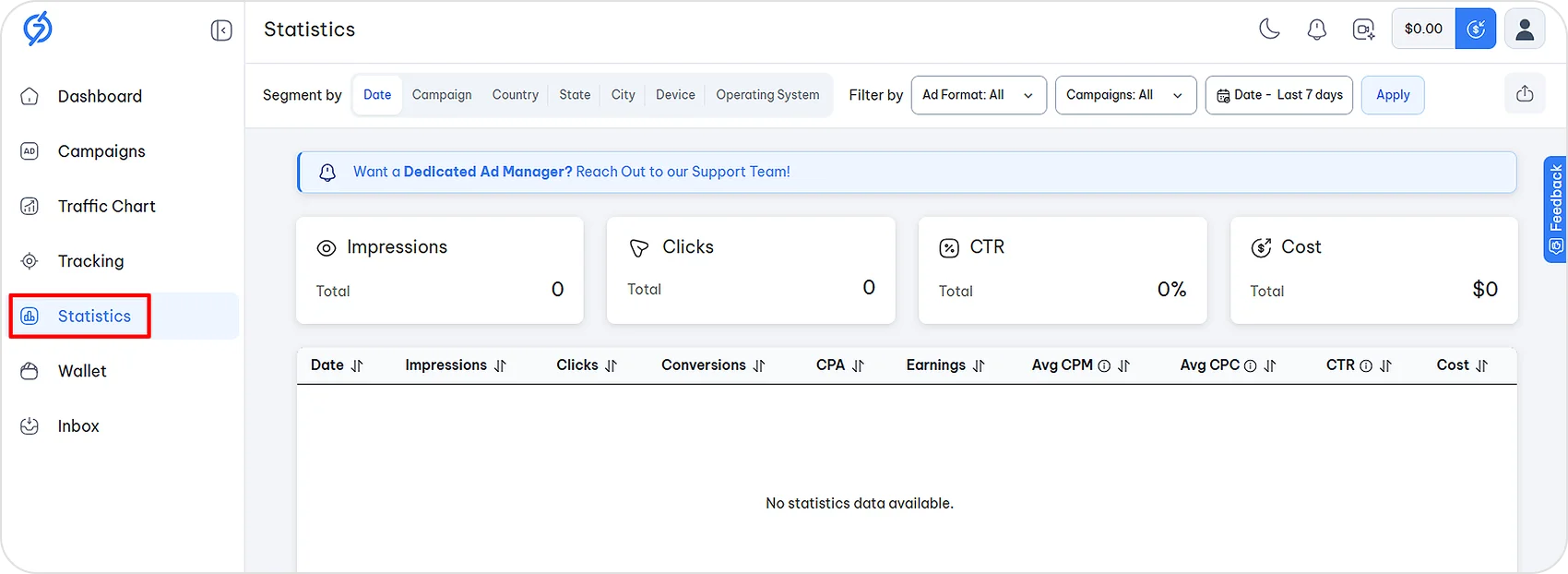
After running your ad campaign with 7SearchPPC, you can view results by clicking the “Statistics” section. Here you can see the impressions, clicks, CTR, cost, and everything about your ad campaign.
If you need help, our support team is available 24/7. You can also explore our user guide. That’s everything you need to know before advertising on 7SearchPPC.
Begin Your Advertising Journey with 7SearchPPC
You now know how to register, add funds, and set up your first campaign. The only thing left is to do it. Create your advertiser account on 7SearchPPC and set up your first campaign today. With flexible GEO, device, and OS targeting, quick approvals, and support for niche and regulated verticals, you can reach the right audience without the usual hassle.
Your first campaign is just a few steps away, so why wait? Start advertising now.
Get More from Your Ad Budget with 7SearchPPC