

When you launch a website, the ultimate goal is for people to find it easily on search engines. But how does your site actually show up in search results? This is where search engine submission becomes essential. While many may think submitting a site to search engines is a quick fix to get traffic, it’s more nuanced than that. In the past, it was a common practice, but does it still hold weight in today’s SEO strategy? This post will answer that question.
In this blog, we’ll break down what search engine submission means, how it works, and whether it’s still important in the modern SEO world.
What is Search Engine Submission?
Search engine indexing or submission is the process of submitting your website’s URL directly to search engines like Google or Bing. By doing this, you’re helping search engines find and index your website faster. When you submit URL to search engine, it makes your site more visible in search results, allowing people to discover your content. However, most search engines can find your site automatically through backlinks and crawling, so manual submission isn’t always necessary. Nevertheless, website search engine submission can still be useful for new websites or updates.
Explore more: How Does Google Quickly Index Backlinks?
Why is SEO Submission Important?
Search engine submission in SEO is very important for the following reasons. Let’s t ake a look at them.
- Faster Website Indexing: SEO submission lets search engines know a website exists, so they can find and list it in their results more quickly. This is especially helpful for new sites or new pages, making them visible to searchers sooner rather than waiting for automatic discovery.
- Attracts Organic Traffic: Once your site is submitted and indexed on search engines like Google, people can find it through search queries without you having to pay for ads. Organic traffic brings visitors who are genuinely interested in your content, products, or services, which often leads to better engagement and more loyal audiences.
- Builds Trust and Credibility: Submitting your website to search engines and appearing in search results makes your website seem more authentic and reliable. People tend to trust sites that are recognized by well-known search engines. Over time, consistent visibility can help establish your website as a reputable presence in your niche or industry.
- Competitive Advantage: If your competitors are already indexed and appearing in search results, you don’t want to get left behind. Submitting your site ensures you’re also in the game, giving you a fair chance to compete for customer attention and potentially outrank them.
- Search Visibility: While there is no such a score or KPI as “search visibility,” it’s the ultimate goal of SEO. And this is where SEO submission can help you put your content in front of users and search engines. After all, if no one can see your website, all your optimization efforts make no sense.
Also read: Maximizing Your Online Presence: The Benefits Of Search Engine Submission
How to Submit Your Site to Search Engines
Submitting your website to search engines is an essential step in improving its visibility and getting indexed in search results. Let’s take the most popular search engines and explore the steps for website or blog search engine submission.
1. Google
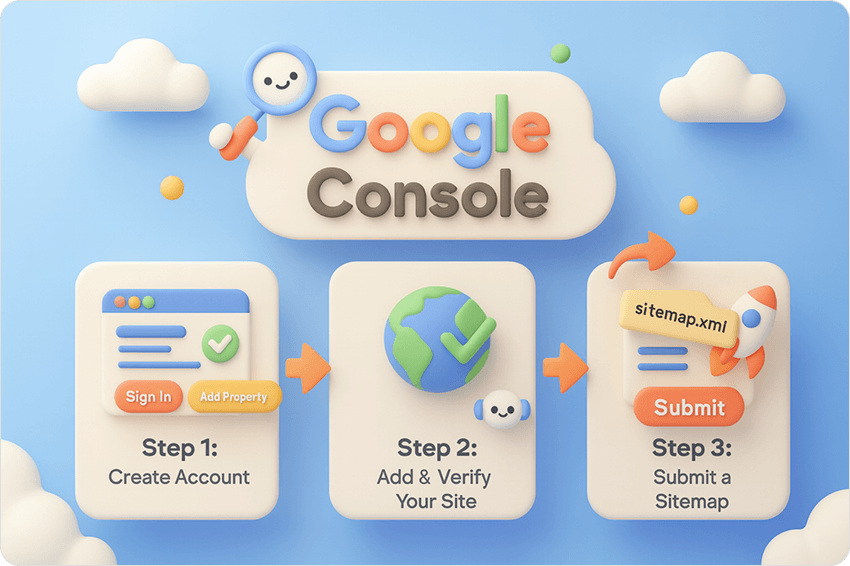
To submit your website to Google, you’ll want to use Google Search Console.
- Step 1: Create a Google Search Console account, or sign in if you already have one.
- Step 2: Add and verify your site.
- Go to the Google Search Console dashboard.
- Click on “Add Property” and enter your site’s URL.
- Follow the instructions to verify ownership. You can verify using HTML tags, DNS records, or by placing an HTML file on your website.
- Step 3: Submit a sitemap.
- Once your site is verified, go to “Sitemaps” under the “Index” section in the left navigation panel.
- Enter the URL of your sitemap (usually something like www.yoursite.com/sitemap.xml) and click “Submit”.
- If you don’t have a sitemap yet, you can generate one using a tool like XML-Sitemaps or use plugins for platforms like WordPress.
Alternative Method
You can also employ the URL Inspection Tool to request individual URLs for indexing. This is useful if you have new pages you want to be indexed immediately.
2. Bing

To submit your site to Bing, you can use the Bing Webmaster Tools.
- Step 1: Go to Bing Webmaster Tools and sign in with a Microsoft account.
- Step 2: Add your site by clicking on “Add a Site”.
- Step 3: Verify ownership of your site.
Similar to Google, Bing offers several ways to verify ownership, like using a meta tag, an XML file, or DNS verification.
- Step 4: Submit your sitemap.
- After verification, go to the Sitemaps section and enter your sitemap URL (e.g., www.yoursite.com/sitemap.xml).
- Submit the sitemap to help Bing discover all your pages.
(Note: Submitting a website to search engines is a free process. While some third-party services offer paid or free website submission options, they’re usually not needed because search engines will find and index your site on their own eventually.)
Common Errors to Avoid in Search Engine Submission

When submitting your website to search engines, it’s crucial to avoid common errors that can negatively affect your site’s visibility and indexing. Here are some SEO submission mistakes to watch out for:
Blocking Search Engines via Robots.txt
The robots.txt file tells search engines which parts of your website they can or can’t access. Sometimes people accidentally block their entire site instead of specific sections. This prevents search engines from crawling your pages, so nothing shows up in search results. Always double-check your robots.txt file before submitting your site.
Submitting Incomplete or Under-Construction Websites
Submitting a website that’s still being built or has broken links can harm your site’s first impression with search engines. It’s better to wait until all major pages, content, and internal links are ready. Once your site looks complete and runs smoothly, then submit it to ensure it ranks better and faster.
Conclusion
Search engine submission is an important step in getting your website discovered and indexed by search engines. While search engines typically find your site through crawling, submitting your URL or sitemap manually can help speed up the process, especially for new sites. By ensuring that your site is search engine optimized and free from common submission mistakes, you can improve its visibility in search engine results more quickly.
Frequently Asked Questions (FAQs)
Q1. What is search engine submission?
Ans. Search engine submission is the process of submitting your website’s URL directly to search engines like Google or Bing to help them find and index your site faster.
Q2. Is search engine submission still important for SEO?
Ans. Yes, it is still important, especially for new websites or when adding new pages. It enables search engines like Google or Bing to discover and index your site quickly.
Q3. What’s the difference between search engine submission and search engine optimization?
Ans. Search Engine Submission is about making search engines aware of your website’s existence, while SEO (Search Engine Optimization) entails optimizing your content and website to rank higher in search results.
Q4. How do search engines find my website?
Ans. Search engines find websites through a process called crawling, where they follow links from other pages to discover new content. However, submitting your website to search engines manually helps them find it faster.
Q5. How do I submit my website to search engines?
Ans. You can add or submit your site to search engines like Google or Bing through their respective tools: Google Search Console and Bing Webmaster Tools. You’ll need to create an account, verify your site, and submit your sitemap.